
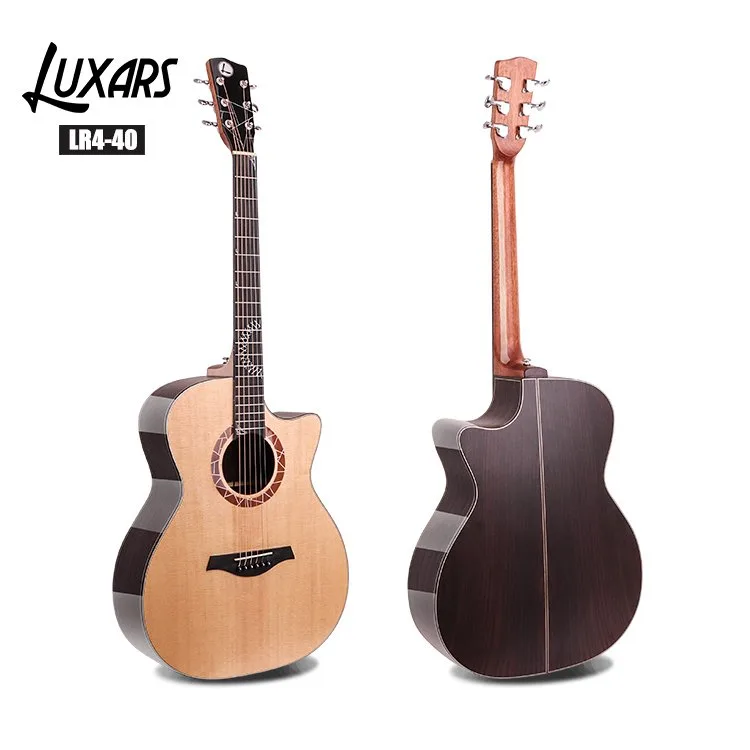
An acoustic guitar product page should let a buyer identify the exact model, compare confirmed specifications, inspect useful views and take a clear next step. Organize the page around those decisions. A shop with direct checkout and a B2B information page may use different commercial actions, but both need accurate, consistent product information.
1. Make the selected product unambiguous
Show brand, stable model code, category, handedness, body format and selected finish where they define a variant. Distinguish steel-string acoustic from acoustic-electric and other documented categories. Keep campaign language separate from permanent identity. Do not offer an option whose specifications and pictures cannot be matched to that selection.
Agree the platform’s model/variant URL rules before expanding the catalog. Google recommends separately identifiable variant URLs and consistent canonical/internal-link/sitemap handling. A distinct variant URL does not automatically mean every variant should have its own canonical page; follow the documented structure appropriate to the platform.
2. Group the specifications for comparison
| Group | Confirmed fields |
|---|---|
| Body | Shape, top/back/side materials, finish, body dimensions and cutaway where applicable. |
| Neck and hardware | Neck/fingerboard materials, scale, nut width, frets, bridge and tuning machines; stated units and measurement points. |
| Electronics | Pickup/preamp, controls and output only when installed on this variant. |
| Contents | Included bag, tools, cable, manual and other items, with optional accessories clearly separated. |
Leave unconfirmed claims unpublished until resolved. Do not borrow values from a similar model, describe material grades from grain, or promise universal comfort, beginner suitability, tone or availability without evidence. Explain the documented playing context near the specifications and inquiry/purchase action.
3. Use an informative image sequence
Start with a complete view of the chosen finish, then front/back, side or depth, neck/headstock, bridge and any fitted electronics. Add a labelled dimension reference and actual package contents when useful. Images should clarify the specification, not stand in for missing evidence.
Use descriptive filenames and ALT text, ordinary HTML image elements and appropriately sized responsive images. Google recommends these image practices; avoid keyword lists in ALT text. Keep colour and configuration honest, and obtain permission for any supplied images. A rear view shows appearance, not proof of hidden construction.
4. Review the mobile reading order
Check title, main image, model identity, essential facts and next action on a narrow screen. Use readable labels, short paragraphs and separated tap targets. Group fields instead of forcing a very wide table; keep any necessary table scroll contained and accessible. Essential facts must remain readable HTML, not only text inside graphics or a carousel.
Try variant selection, image navigation and the inquiry or checkout path under slow loading and when images are unavailable. Confirm that the selected variant remains the one described after the interaction.
5. Align visible facts, feeds and structured data
Keep name, brand, SKU, primary image and variant relationships consistent. Google distinguishes product information from direct-purchase experiences and has separate eligibility requirements. Choose markup for the actual business model, and publish offers, availability or reviews only when real, current and supported by visible content. Never create a price or rating to make a validator pass.
After a product, template or plugin change, check the affected page and feed again. Record the approved version and its owner. Link relevant category, comparison and support guidance so buyers can investigate size or fit without losing product identity.
Discuss an acoustic product page
Send Luxars Music your market, channel, model reference and required listing fields through sale@luxarsmusic.com or the form below. Keep current commercial questions tied to the selected model.
Related buyer guides
Images and listing data · Product information for buyers
Sources
Send your requirements
Explore current product records
Use these product records with the checklist. Then send your shortlist and any missing requirements through the enquiry option below.
 English